In-game panel
Process picker, type and mode chips, value field, SCAN / NEXT / CLEAR, the hit list, and write + freeze — all on top of the running game.
- Process tile
- Hit list
- Write & freeze
- Built-in keypad
Root · or rootless
A GameGuardian-class memory studio for Android. Run it with su, or rootless inside a patched Parallel Space.
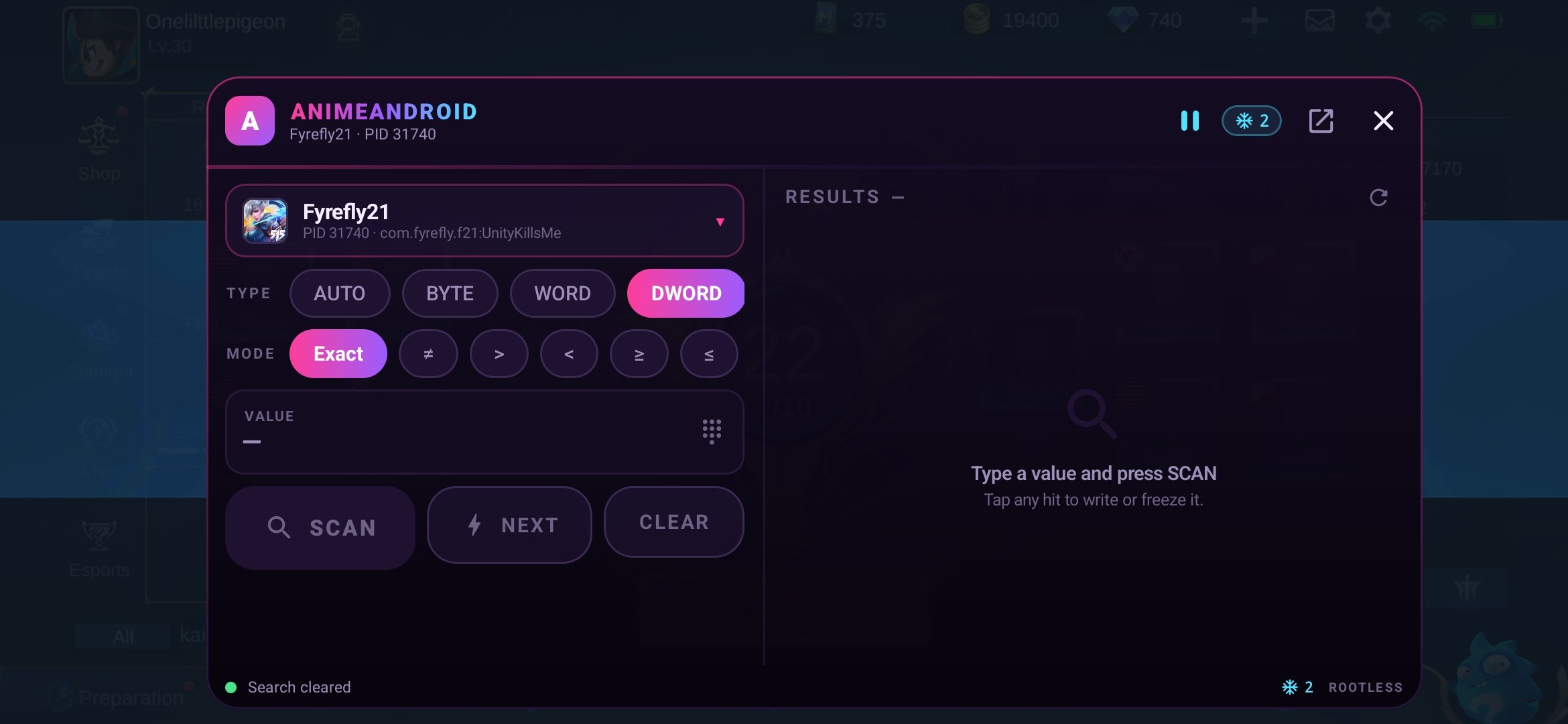
The panel is a real overlay window. The game keeps focus, keeps rendering, and keeps its frames behind the scan — no app switching, no reload.
100 scan inside a live clone
Every step of a scan lives in the same window that floats over your game.
Process picker, type and mode chips, value field, SCAN / NEXT / CLEAR, the hit list, and write + freeze — all on top of the running game.
A su helper when the device has it. In-process JNI when it doesn't. The engine picks the backend automatically and shows which one it used.
A background writer pins the value while you play.
ms · per address
Exact through unknown-scan, changed, increased and decreased.
Every action is a line on stdin. Useful when you want to drive it from a script.
Scope the scan to keep it fast, or go wide and read the whole address space.
Turn a one-session address into a chain that survives a restart. The engine builds a pointer map of writable memory, walks it backwards from your hit, and anchors every path on a module-relative root, so ASLR no longer matters. Chains land in a per-game library: rename them, freeze them, write to them — from the app or the in-game panel.
A Lua 5.4.7 interpreter ships inside the core library and exposes the gg table. Run a script from the Lua tab; dialogs render in the panel and block until you answer.
Rootless scanning depends on one detail: the container has to be debuggable, so its clones are readable.
Stock Parallel Space is not debuggable, so every read comes back ERR no memory access. The build on this page turns that flag on.
Add the game and AnimeAndroid to the same container. Open the game first and let it load, then open the tool and come back through recents.
Tap the bubble to open the panel, pick the game process, scan a value you can see, refine it, write it, freeze it.
Already rooted? Skip the container entirely. Install the APK, allow the su prompt once, and attach any process on the device.

Latest build
AnimeAndroid-latest.apk · sha256 644b07ad8644430b…
Version 4.0.9620, re-signed with the AnimeAndroid key, renamed to com.syferx.onelittlepigeonsittinginatree, stealth-masked (VM root token, native library names, marker paths scrubbed) plus a universal hook (libhidehost.so) that hides the container from /proc/self/maps reads inside every clone.
Replacing an existing Parallel Space install needs a full uninstall first, and that wipes the clones inside it. The renamed package is a new app identity — uninstall the old Parallel Space completely before installing this build.
Every restart re-randomises the layout. Rescan after the game closes — or let a pointer chain from the game library find the address again and re-arm its freeze.
Rootless mode reaches clones inside the patched container. The copy installed outside it has a different uid and stays out of reach.
Whitelist Parallel Space from battery optimisation, and add the tool to its one-tap-boost whitelist.
Tested against games and accounts we own. Anything you point it at is on you.